
One journey for a new client
A service with price and duration → a specialist or available time → contact details → appointment confirmation. A guest flow is available without mandatory registration.
Show your salon, help clients choose a specialist and accept online bookings. A ready Laravel system with a beauty shop, client and staff accounts, and an admin panel, adapted to your brand.
Ready foundation and agreed adaptation for one location.
Scope, timing and payment agreed before work starts. Integrations are separate.
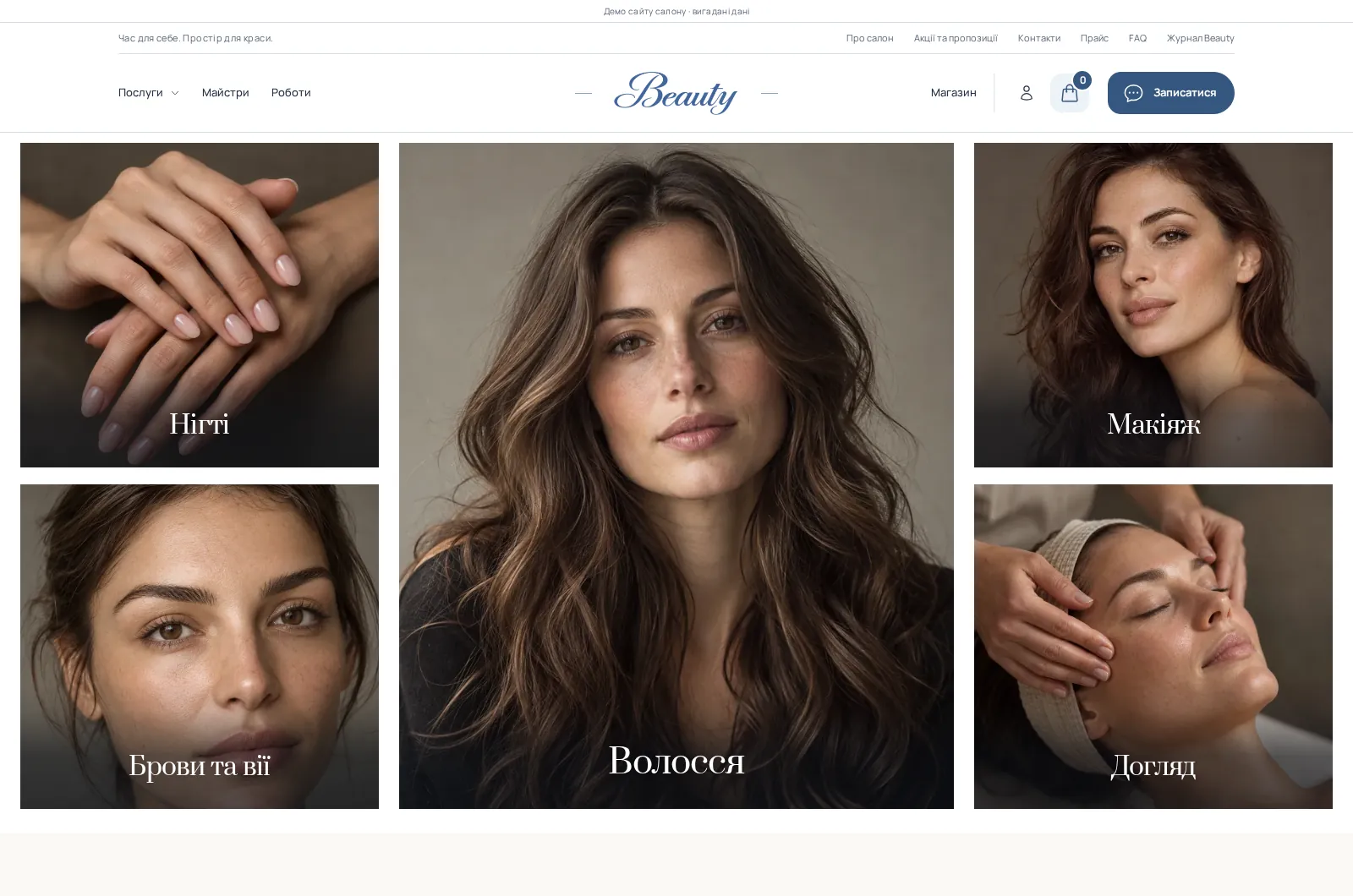
Your photography draws attention. Service pages explain the options. Team profiles and portfolio work help clients choose a specialist, while the calendar turns that interest into a specific appointment time.
A service with price and duration → a specialist or available time → contact details → appointment confirmation. A guest flow is available without mandatory registration.
A home-care shop, saved favourites and personal booking and order history give clients reasons to return. An editable journal helps explain services and home-care choices.
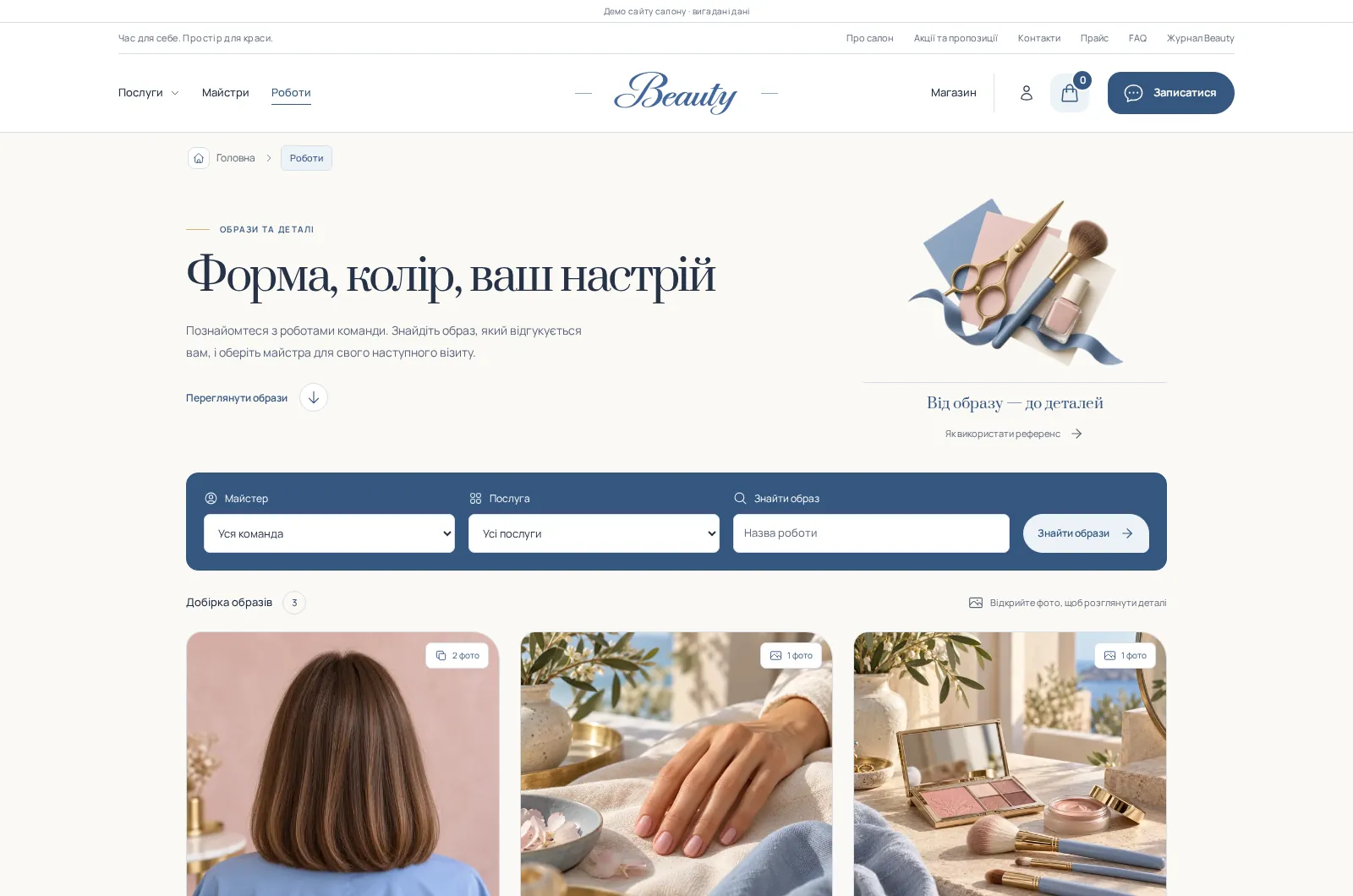
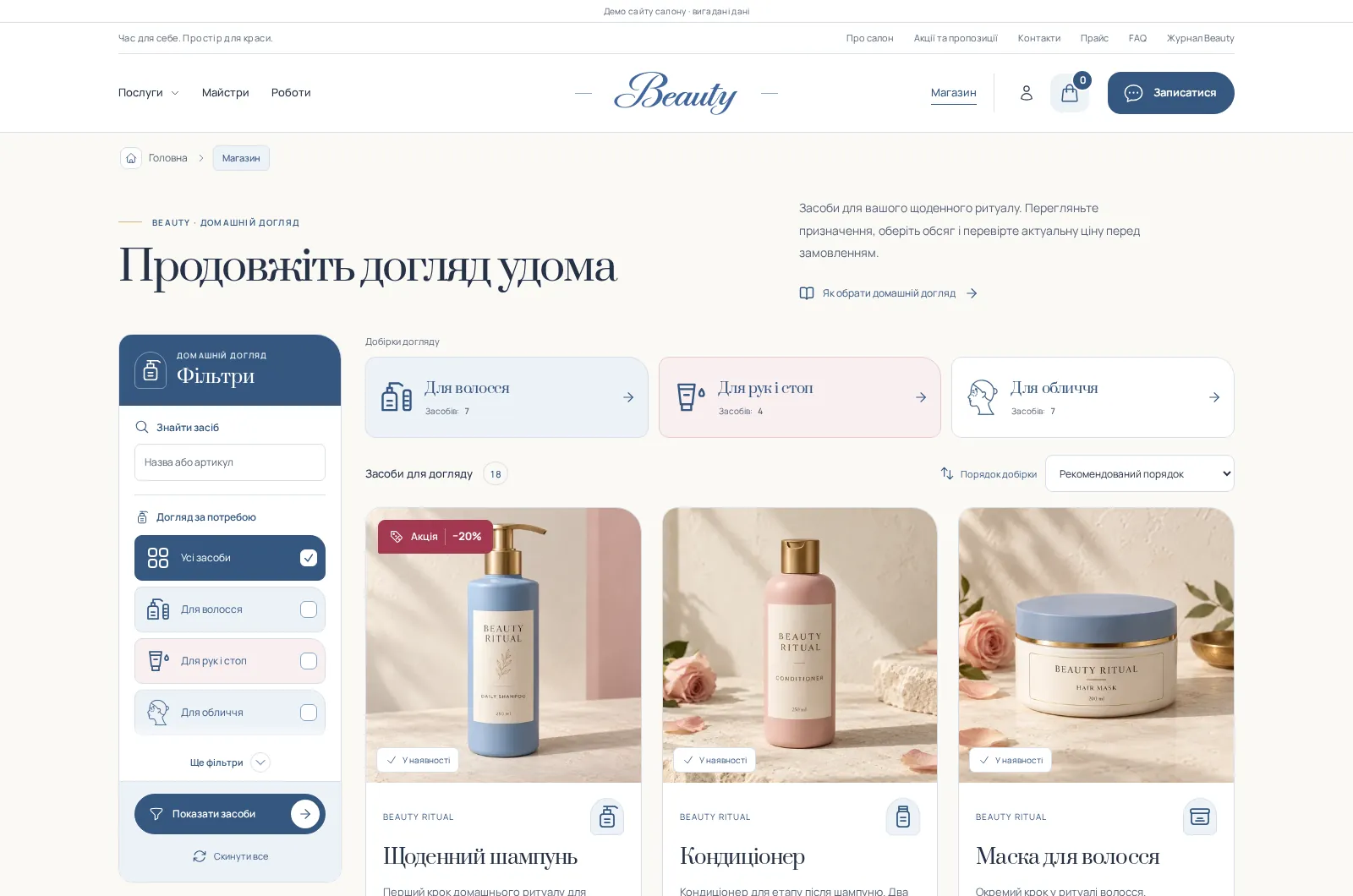
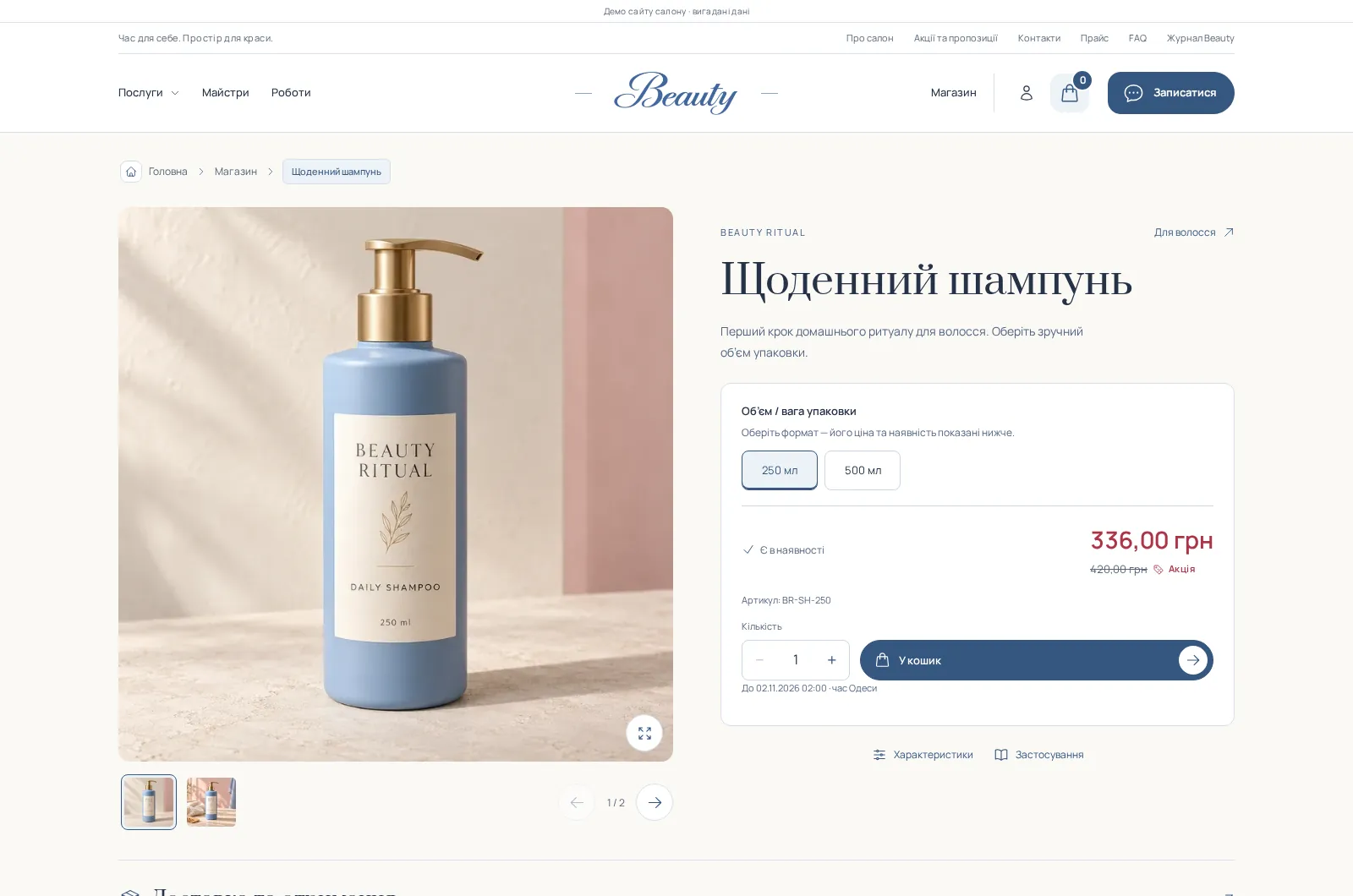
All images on this page are screenshots of Beauty. The demo brand, people, products and photography are illustrative and are replaced with your salon content during adaptation.
Flexible customization
You are not locked into the demo version. Adapting the ready structure within the agreed scope is included in the base price. New modules, major architecture changes, and custom logic are estimated separately before work begins.
We preserve the proven structure and functionality while adapting the presentation to your brand and business.
If the existing functionality is not enough, we estimate the required extension in advance.
For requirements that go beyond the ready-made solution and need dedicated product planning.
Before work starts, we confirm which parts of the ready-made solution stay, what will be adapted, and what will be added—so the launch timeline and agreed price are clear upfront.
Existing modules connect client choices, specialist schedules and administrative work.
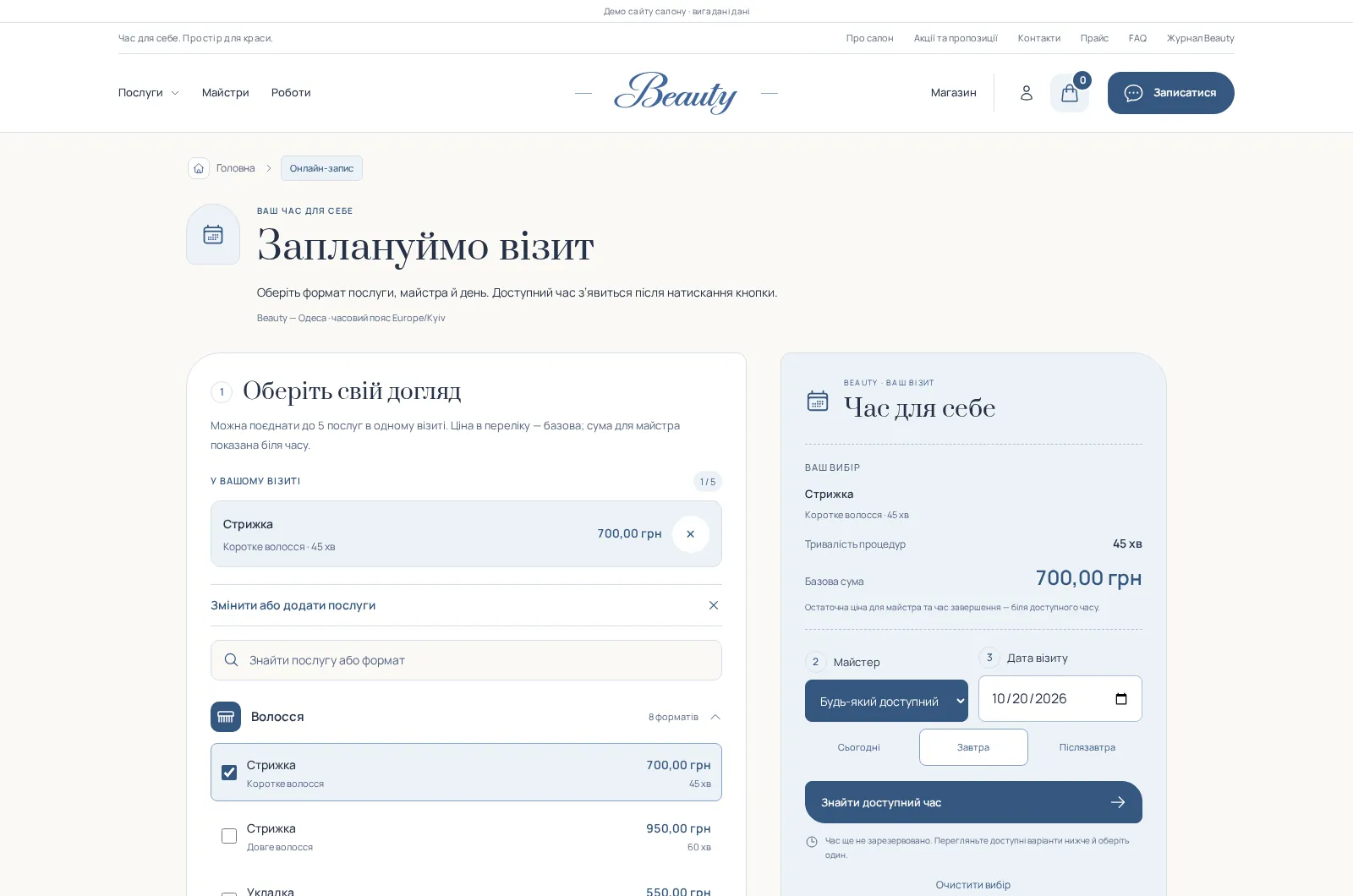
Separate variants, prices and durations help clients understand the options and book the appropriate service.
Availability considers qualifications, shifts and existing bookings. The selection shows pricing for the chosen specialist.
Guests provide a name and phone number. Creating an account is optional; registered clients have their own history.
Personal day and week views, visit statuses, availability requests, and profile and portfolio changes submitted for approval.
Personal appointments, orders, favourite products and specialists. Available actions depend on the record state and salon rules.
Categories, brands, product variants, availability, discounts, a cart and contact checkout without a mandatory account.
Services, team, content, appointments and orders are managed in Filament. Staff access is separated by role.
Pages support drafts, previews and history. A media library stores images and processes optimised WebP versions.
Service pages, journal categories, articles, metadata and a sitemap. Indexing is configured for the buyer’s domain before launch.
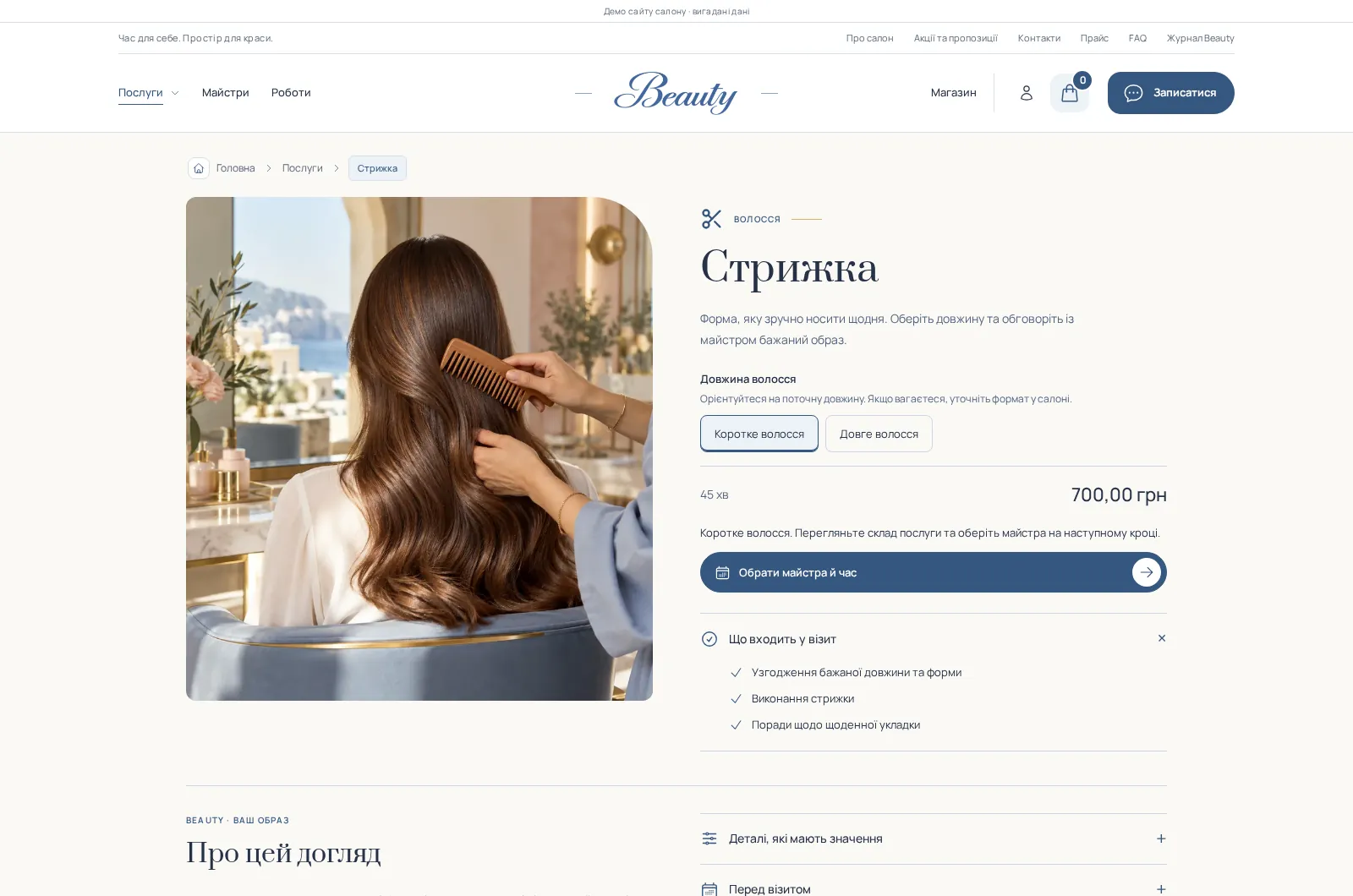
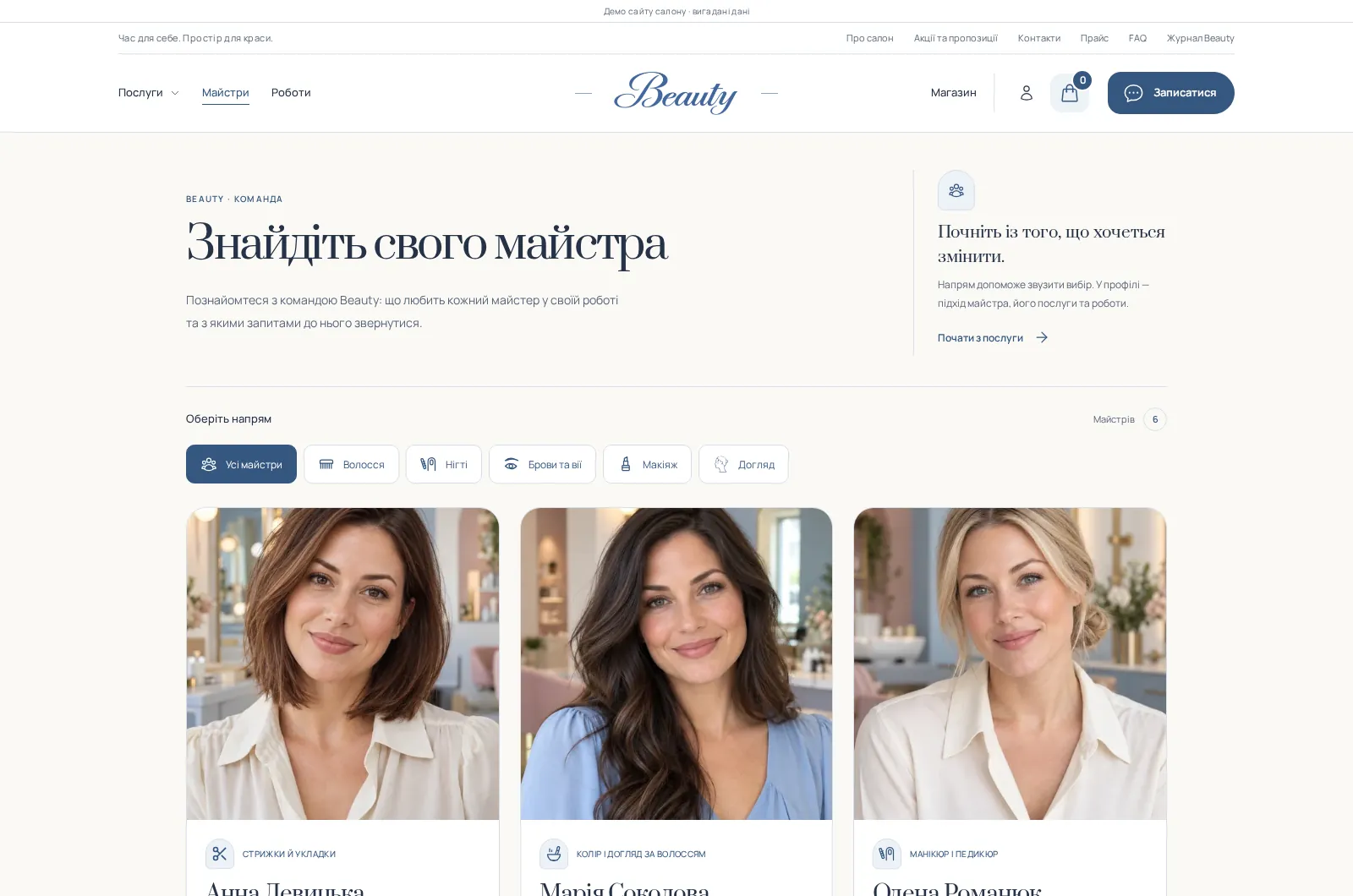
Actual screens from the ready website. Names, photography, product ranges and copy are adapted to your salon.
Photography, description, variants, price, duration and visit preparation. The action leads to specialist and time selection.
Specialist profiles, areas of work, services and portfolio examples help clients make an informed choice.
Work galleries connect to a service and specialist. Demonstration looks are replaced with the salon’s own portfolio.
A shop with categories, search, filters, brands and discounts. Product purchases are independent of salon appointments.
Product pages show photography, descriptions, variants, prices and availability. Customers choose a receiving method in the cart.
A journal with topics and useful articles. Advice links to relevant services and helps clients discuss their preferences.

Day-to-day management uses editable fields and forms. New custom functionality remains a separate development task.
Edit the homepage, contact details, journal articles, FAQs and galleries. Preview drafts before publishing.
Update variants, prices, durations, specialisations, shifts and unavailable time in the relevant sections.
Manage products, variants, photos, availability and receiving terms. Process orders with their recorded details.
Request a walkthrough of page editing, services, schedules and orders using Beauty as an example.
The existing structure can be adapted to your services and team size.
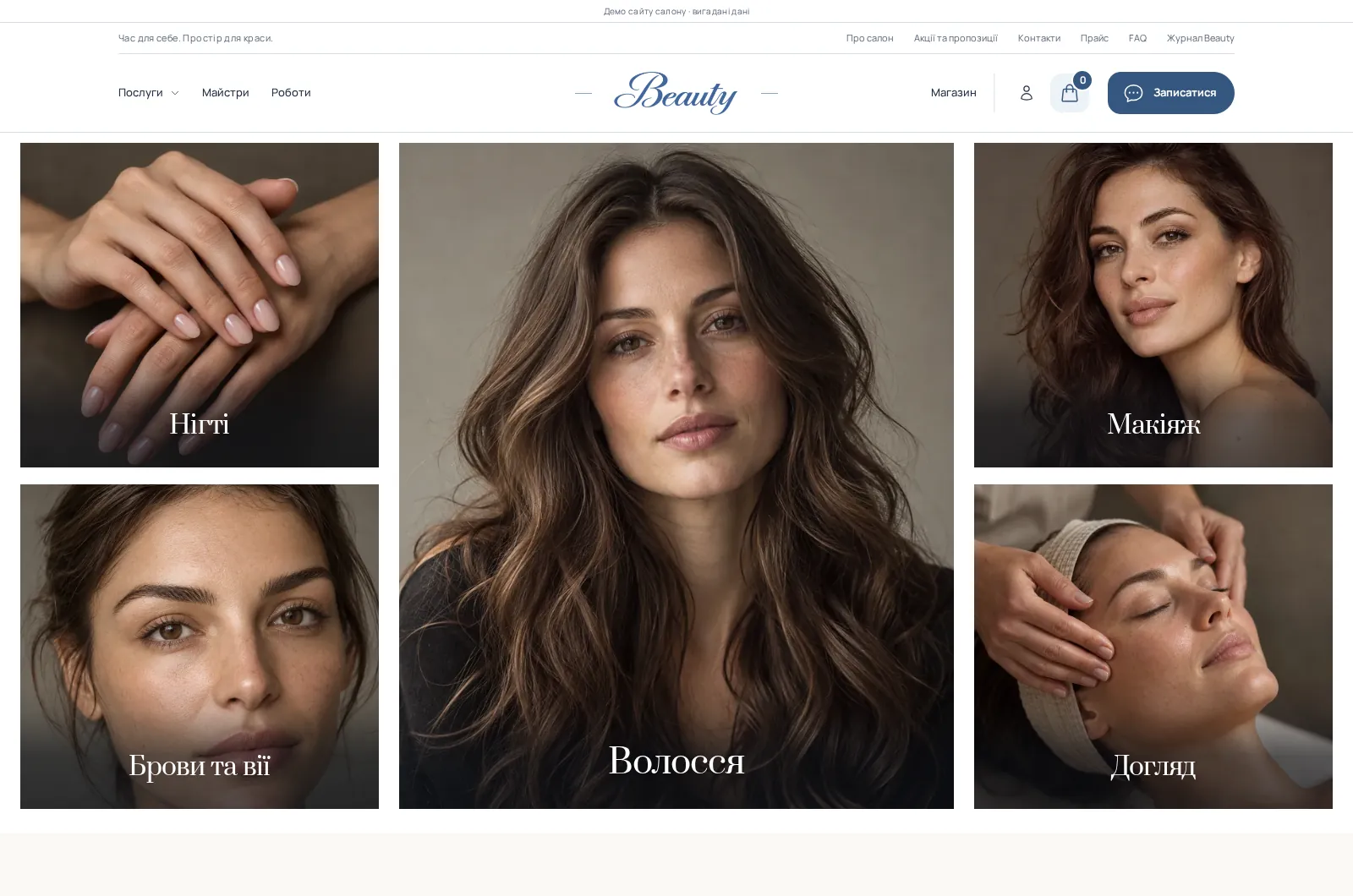
Hair, nails, brows, makeup and care in one catalogue with different specialists and service variants.
A distinct identity, portfolio and specialist profiles help communicate your approach.
Services and products work side by side: clients can book an appointment or make a separate purchase.
Basic adaptation for one location. We agree on the content list and volume in writing before work begins.
Public website, existing booking and shop modules, accounts and Filament administration.
Name, logo, contacts and colours within the existing composition. Content is supplied by the buyer.
Your services, specialists, photography and products within the agreed volume. Large data migrations are estimated separately.
One location’s schedule, service variants, prices and booking rules within existing capabilities.
Deployment to compatible buyer-provided hosting, mobile layout checks, core flow checks and technical SEO setup.
Access handover and explanation of key operations. Ongoing support scope is agreed separately.
Domain, hosting, payment provider, SMS/email and their fees. The demo does not process real bank payments or send external messages.
CRM, accounting, carrier APIs, additional languages, new business rules or a complete custom redesign.
Photography, extensive copy production, advertising and ongoing SEO. Search positions and booking volumes are not guaranteed.
Timing depends on content readiness and agreed integrations. We confirm it before work starts.
You explain your services and goals. We demonstrate relevant modules and agree on the adaptation scope.
Logo, contacts, photography, service variants and prices, specialists, schedules and shop products.
Replace demo content, configure modules and access. Separately scoped integrations follow their agreed estimate.
Together we review booking, orders and editing. Following approval, the website launches on your domain.
These are optional projects, not already connected demo services. Each extension has its own scope and estimate.
Connect a chosen provider to booking and shop flows and verify payments, cancellations and refunds.
Real appointment and order SMS or email through an agreed service, including consent and fee configuration.
External system, carrier API or inventory integration after checking the available interfaces.
Configure additional branches, schedules, access and content; translate and adapt navigation for new markets.
Separately designed gift certificates, packages or rewards with redemption and accounting rules.
Editorial planning, local pages, booking and purchase events, campaign landing pages and ongoing content work.
Compare ready solutions by niche, platform, and budget — each can be adapted to your brand and workflows.

A ready Laravel solution for leasing, lending, and factoring businesses: niche pages, documents, financing directions, inquiries, partners, content, and an admin panel.
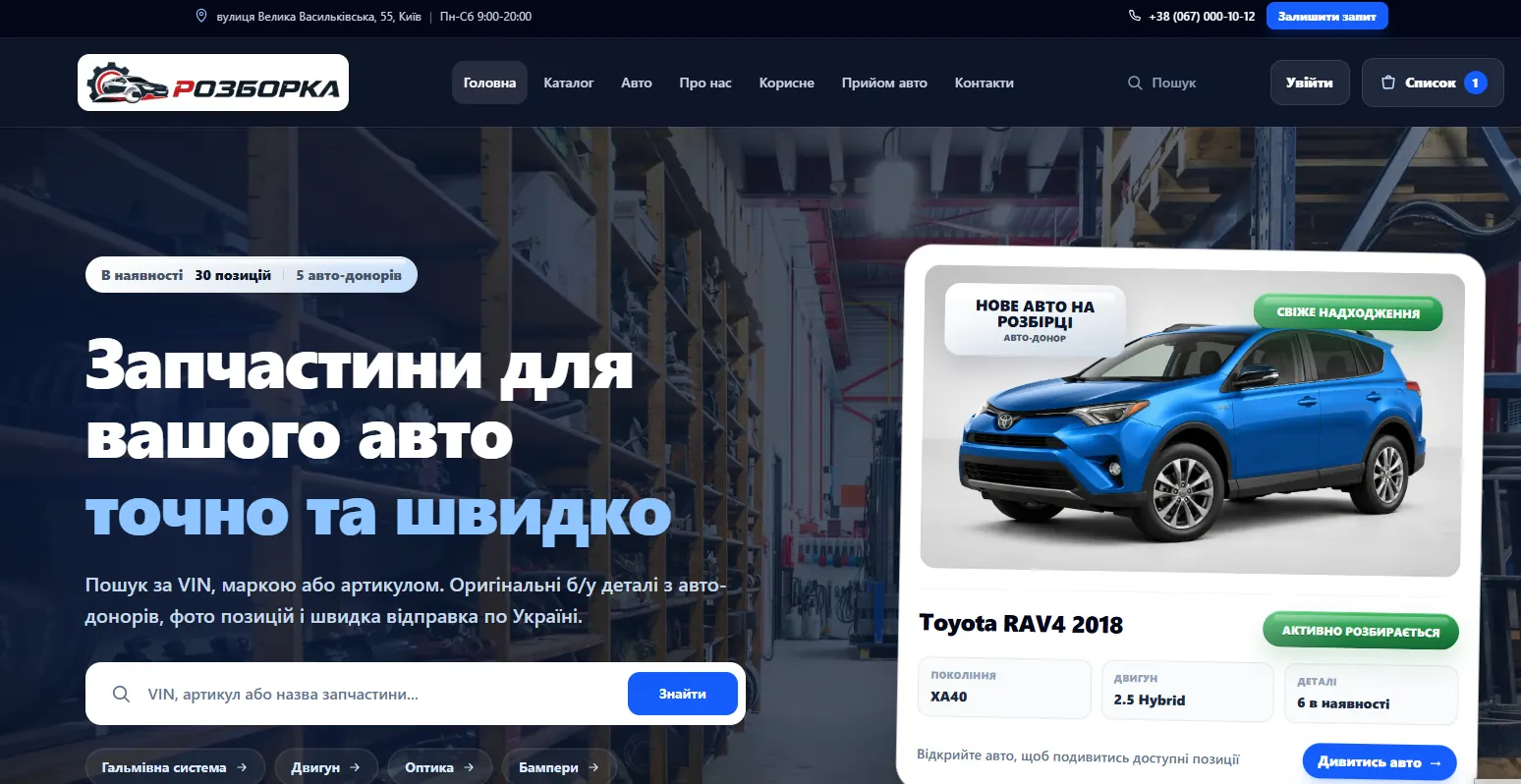
A ready Laravel system for an auto dismantling business: used-parts catalog, donor vehicles, vehicle and OEM search, multi-part inquiries, reservations, customer portal, and admin panel.

A ready-made niche WordPress website for an auto repair shop: services and prices, online booking, supported car brands, case studies, reviews, FAQ, contacts, map, and editable content.
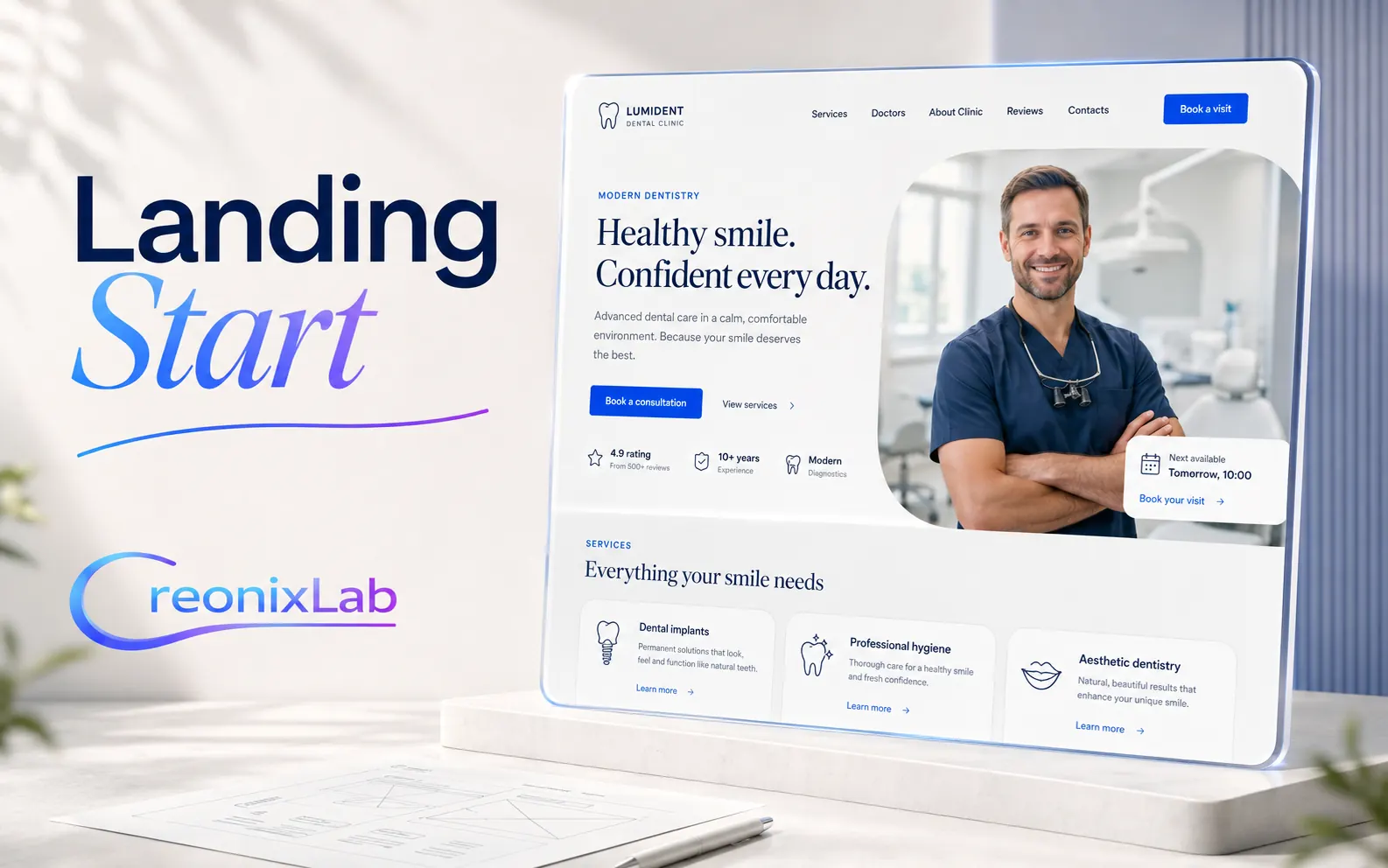
A focused website for one service, product, or campaign: design adaptation, content placement, inquiry form, and basic SEO.

A complete small-business website with 5–7 core pages: services, about, benefits, contacts, inquiries, and convenient content management.

A structured catalog without a complex online store: categories, item pages, search or filters, inquiry form, and WordPress management.
01 06
Share your existing pages and briefly describe your team and services. We will match them to Beauty’s capabilities and agree on the scope.