Ordering a Website for Business: Where to Start
Ordering a website for business may seem like a simple task at first: find a developer, show a few references, approve the design, and launch several pages online. But in practice, a good website does not start with colors, animations, or beautiful sections. It starts with understanding the business goal: why you need the website, what task it should solve, and what action the user should take after visiting the page.
For one business, a website is needed to generate leads from advertising. For another, it is a way to present the company, services, team, and build trust. Some businesses need an online store with a catalog, cart, payment, and delivery. Others need a full online service with booking, personal accounts, user roles, and integrations. These are different formats, different scopes of work, and different budgets.
That is why, before ordering a website, it is important not to rush into choosing the “cheapest” or simply the “most beautiful” option. First, you need to understand which format truly suits your business: a landing page, corporate website, catalog website, online store, or custom solution. The right choice helps you avoid paying for unnecessary features while also preventing your business from being limited by a website that is too simple for your real needs.
In this article, we will explain how to approach website development correctly: where to start, what website formats exist, how they differ, when WordPress is a better choice, when Laravel makes more sense, what is included in turnkey website development, and what affects the final cost. We will also cover common mistakes that cause businesses to spend their budget without getting the expected result.
The main idea is simple: a website should not be just an “online presence”. It should be a working business tool. It should help customers quickly understand your offer, trust your company, and take the right action: submit a request, buy a product, book a service, ask for a consultation, or return to you again.
Why the Question “How Much Does a Website Cost?” Has No Simple Answer
When a business plans to order a website, the first question often sounds like this: “How much will it cost?” This is a normal question because every project has a budget. But the problem is that a website cannot be honestly estimated based only on the phrase: “we need a website”. Behind this phrase, there may be a small landing page for one service, a full online store, a corporate website, or an online service with accounts, payments, and integrations.
The cost of a website depends not only on the number of pages. The budget is affected by structure, design, responsiveness, functionality, admin panel, multilingual support, SEO preparation, lead forms, catalog, filters, payment, delivery, CRM, analytics, and future scalability. That is why two websites may look similar from the outside but require a completely different amount of work inside.
If you start only with the price, there is a risk of choosing the cheapest solution that does not solve the real business task. For example, you may order a simple page and later realize that you need a catalog, separate service pages, CRM integration, multilingual functionality, or a customer account. As a result, the website may need to be rebuilt, and this often costs more than planning the structure correctly from the beginning.
On the other hand, it is not always necessary to order the most expensive solution. For a small business at the start, a quality landing page or a small corporate website may be enough. If the task is to test a service, launch advertising, or collect the first leads, there is no need to immediately invest in a complex system. The goal is not just to “save money”, but to choose a format that fits the current task and does not limit future growth.
The right approach does not start with the question “what is the lowest price?” It starts with the question “what should the website do for the business?” Should it generate leads, sell products, show expertise, accept bookings, automate part of the work, or become the foundation for an online service? When the answer is clear, it becomes possible to estimate the scope, technology, timeline, and budget honestly.

What Task Should a Website Solve
Before ordering a website for business, it is important to understand not only its format, but also its main task. A website should not be just a set of beautiful pages, images, and buttons. It should help the business achieve a specific goal: generate leads, sell products, explain services, build trust, automate part of the processes, or create a convenient service for customers.
The task affects everything else: website structure, number of pages, design, copy, functionality, technology, SEO logic, and development budget. If the goal is not defined at the beginning, there is a risk of getting a website that looks modern but does not bring customers or help the business grow.
A properly planned website should guide the user from the first interaction with the company to a specific action: submit a request, buy a product, book a consultation, view a catalog, contact a manager, or return to the service again.
Generate Leads
One of the main tasks of a business website is to turn visitors into potential customers. To do this, the website must quickly explain what you offer, who it is suitable for, what problem you solve, and why the user should contact your company.
If the goal of the website is lead generation, it is important to plan the page structure, a strong first screen, clear benefits, trust elements, contact forms, call-to-action buttons, and a convenient path to consultation. The user should not have to search for where to submit a request or how to contact the company.
This format is especially important for services, B2B companies, local businesses, educational projects, service companies, clinics, salons, auto service stations, legal, financial, and consulting businesses.
Sell Products Online
If a business sells products, the website should not only display them but also help customers quickly move from selection to purchase. This requires a clear catalog structure, convenient filters, quality product pages, cart, checkout, delivery, payment, and order status notifications.
An online store should be convenient not only for the buyer, but also for the business team. It is important that the administrator can manage products, prices, stock, orders, statuses, promotions, and content without constantly contacting a developer.
A well-planned e-commerce website reduces manual work, improves the buying experience, and helps the business scale online sales.
Present the Company and Services
For many companies, a website is the first place where a potential customer gets to know the business. That is why it should clearly explain who you are, what services you provide, who you work with, what experience you have, and how you differ from competitors.
A corporate website helps structure company information: separate service pages, approach description, advantages, case studies, team, documents, reviews, contacts, and answers to frequently asked questions. This is especially important for businesses where the decision to contact is not made instantly, but after comparison, analysis, and trust building.
Such a website works as a digital presentation of the company that is available to customers 24/7.
Build Trust in the Business
A user rarely submits a request after reading the first sentence. First, they evaluate whether the company can be trusted. That is why a website should not only describe services but also confirm the business’s expertise.
Trust is built through case studies, work examples, reviews, certificates, team information, transparent terms, a clear work process, real contacts, quality design, and well-written copy. If the website looks outdated, confusing, or incomplete, the user may start doubting the company before making the first contact.
For complex services, financial companies, B2B businesses, education, healthcare, construction, legal, and consulting services, trust is one of the key conversion factors.
Explain Complex Services in Simple Words
Not every product or service can be sold with one short sentence. Sometimes the customer needs to understand how the service works, what stages the project includes, what is included in the price, what the conditions are, who it is suitable for, and what result they will get.
In such cases, the website should act as a consultant. It should organize information into clear sections, answer common questions, remove doubts, and help the person make a decision without being overloaded with complex terminology.
This is especially useful for financial services, IT solutions, education, healthcare, legal services, real estate, manufacturing, B2B services, and any business where the customer needs to understand the process before contacting the company.
Automate Part of the Work
A website can be not only a business showcase but also an automation tool. For example, it can accept requests, book customers for services, send notifications, store orders, transfer data to CRM, show statuses, generate applications, or collect information through forms.
This helps reduce manual work, process inquiries faster, and avoid losing customers because of chaos in messages, spreadsheets, or messengers. If a business regularly works with requests, bookings, orders, or consultations, website automation can significantly simplify the process.
In such projects, it is important to plan not only the visual appearance of the website but also the internal logic: what happens after a request is submitted, who receives it, how it is processed, and where the information is stored.
Provide Customers with a Convenient Online Service
Sometimes a website cannot be just an informational page. If customers need to return regularly, check status, use an account, book time, upload documents, or manage orders, the business needs a full online service.
Such a website can include personal accounts, user roles, an admin panel, booking, payment, order history, notifications, integrations, and custom logic based on the company’s processes. This is no longer just a website, but a digital tool that helps the business work with customers systematically.
Online services are often developed on Laravel or other technologies that allow custom logic, scalability, and complex interaction scenarios.
Support SEO and Advertising
A website should be ready not only for launch but also for promotion. If a business plans to get customers from Google, advertising, or social media, it is important to plan the SEO structure, loading speed, responsiveness, metadata, headings, landing pages, and clear calls to action from the beginning.
For SEO, it is important that each key service has a separate page, the copy matches real user search intent, and the structure helps search engines understand the website correctly. For advertising, it is important that the page quickly explains the offer and leads users to a request.
If a website is created without SEO and advertising in mind, it often needs to be rebuilt before promotion. That is why it is better to include basic marketing logic during development.
Help the Business Scale
A website should match not only current tasks but also the future growth of the business. Today, a few service pages may be enough, but in a few months you may need a blog, catalog, multilingual functionality, customer account, CRM integration, or new landing pages for advertising.
That is why it is important to choose the format and technology with future scalability in mind. This does not mean that everything possible should be developed immediately. But the structure should allow the website to grow without a complete rebuild.
A well-planned website can grow together with the business: adding new services, pages, features, integrations, and directions without losing quality or logic.
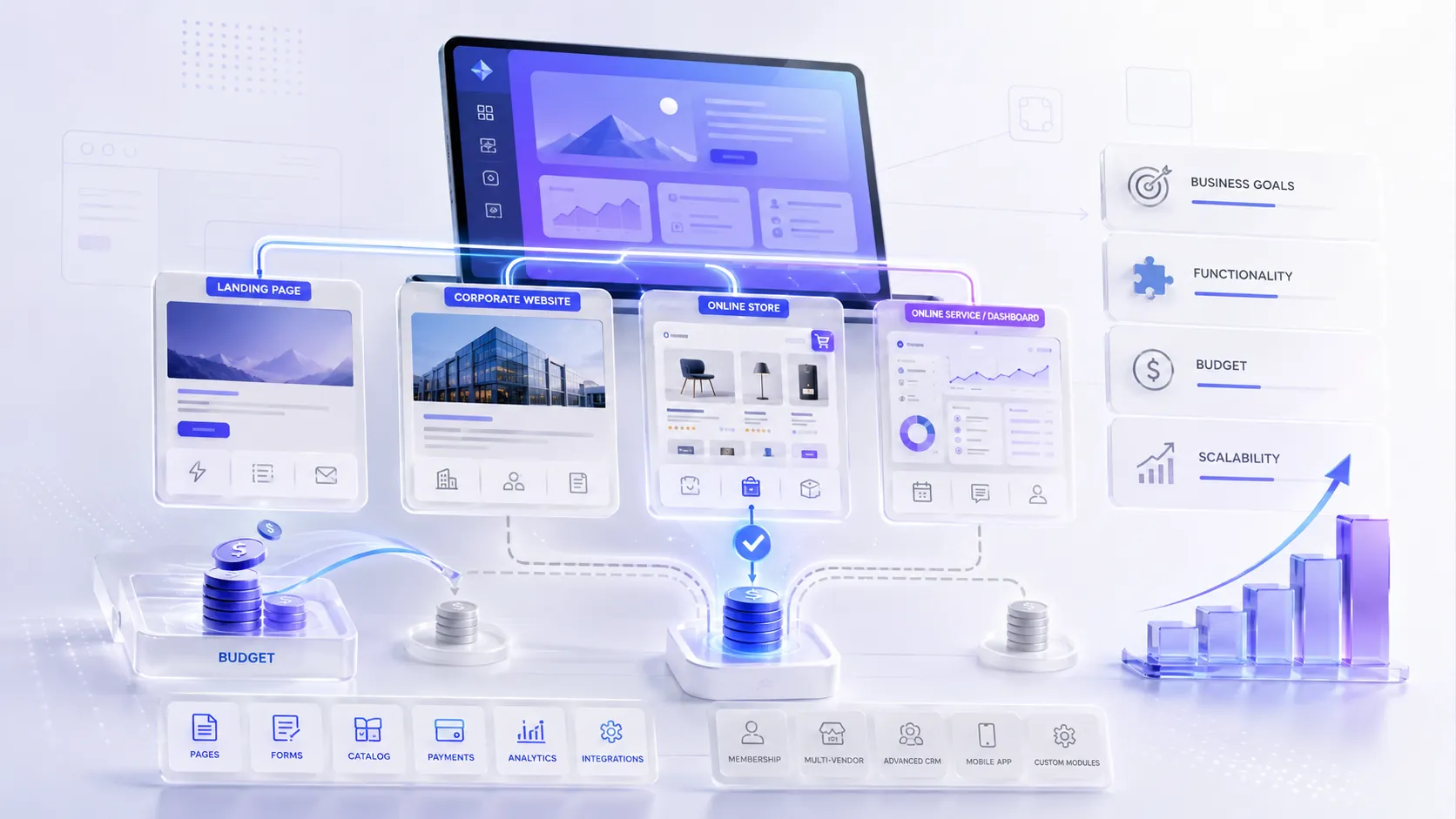
What Type of Website Can You Order for Business
Before ordering a website for business, it is important to understand that a “website” is not one universal format. Different tasks require different solutions. One business may only need a single landing page for advertising, another may need a corporate website with services and case studies, a third one may need an online store, and another may need a full online service with accounts, booking, or integrations.
The right website format helps avoid wasting the budget. If a business only needs leads for one service, there is no need to immediately build a complex system. But if the company plans to have a catalog, personal accounts, payments, CRM, or process automation, a website that is too simple will quickly become a limitation.
That is why, before starting, it is important to answer one simple question: what exactly should the website do for your business? The answer affects the structure, design, technology, number of pages, functionality, and future scalability.
Landing Page
A landing page is a one-page website or a separate landing page created for one specific goal: to generate a lead, sell a service, present a product, launch advertising, or test a new idea. This format works well when you need to quickly communicate one offer and guide the user to action.
A landing page needs a clear structure: a strong hero section, a short explanation of the offer, benefits, trust elements, work stages, pricing or conditions, FAQ, and a clear lead form. It should not contain unnecessary information that distracts the user from the main action.
A landing page is suitable for advertising, launching a new service, consultations, local businesses, courses, promotions, events, individual products, or quick demand testing.
Corporate Website
A corporate website is a multi-page website for a company that wants to present itself professionally, show services, experience, team, case studies, advantages, and build trust in the brand. This is a good format for businesses where the customer does not make a decision immediately, but only after getting to know the company, comparing options, and evaluating expertise.
Such a website usually includes a homepage, service pages, an “About us” page, portfolio or case studies, blog, FAQ, contacts, policies, and sometimes separate pages for business areas, partners, or documents. Its task is not only to collect inquiries, but also to explain why the company can be trusted.
A corporate website is suitable for service companies, B2B businesses, financial companies, manufacturers, educational projects, legal, consulting, construction, medical, and IT businesses.
Online Store
An online store is needed for a business that wants to sell products online and accept orders through the website. It is not just product pages, but a full sales system: catalog, categories, filters, product pages, cart, checkout, payment, delivery, statuses, notifications, and an admin panel for product management.
A good online store should be convenient both for the buyer and for the business team. The buyer should quickly find a product, understand its characteristics, view photos, price, delivery terms, and easily place an order. The administrator should be able to add products, change prices, manage orders, promotions, stock, and content.
An online store is suitable for retail, clothing brands, cosmetics, accessories, electronics, auto parts, furniture, home goods, niche manufacturers, and companies that want to scale online sales.
Catalog Website
A catalog website is suitable for a business that wants to showcase products, services, objects, or offers, but does not necessarily need to sell them through online payment. On such a website, users can view the assortment, characteristics, photos, categories, filters, and submit a request or contact a manager for details.
This format is often convenient when the price depends on configuration, volume, delivery terms, individual calculation, or consultation. For example, for equipment, furniture, building materials, services, machinery, real estate, cars, auto parts, or B2B offers.
A catalog website can be simpler than an online store, but much more convenient than a regular corporate website if the business has many items, categories, or service options.
Online Service
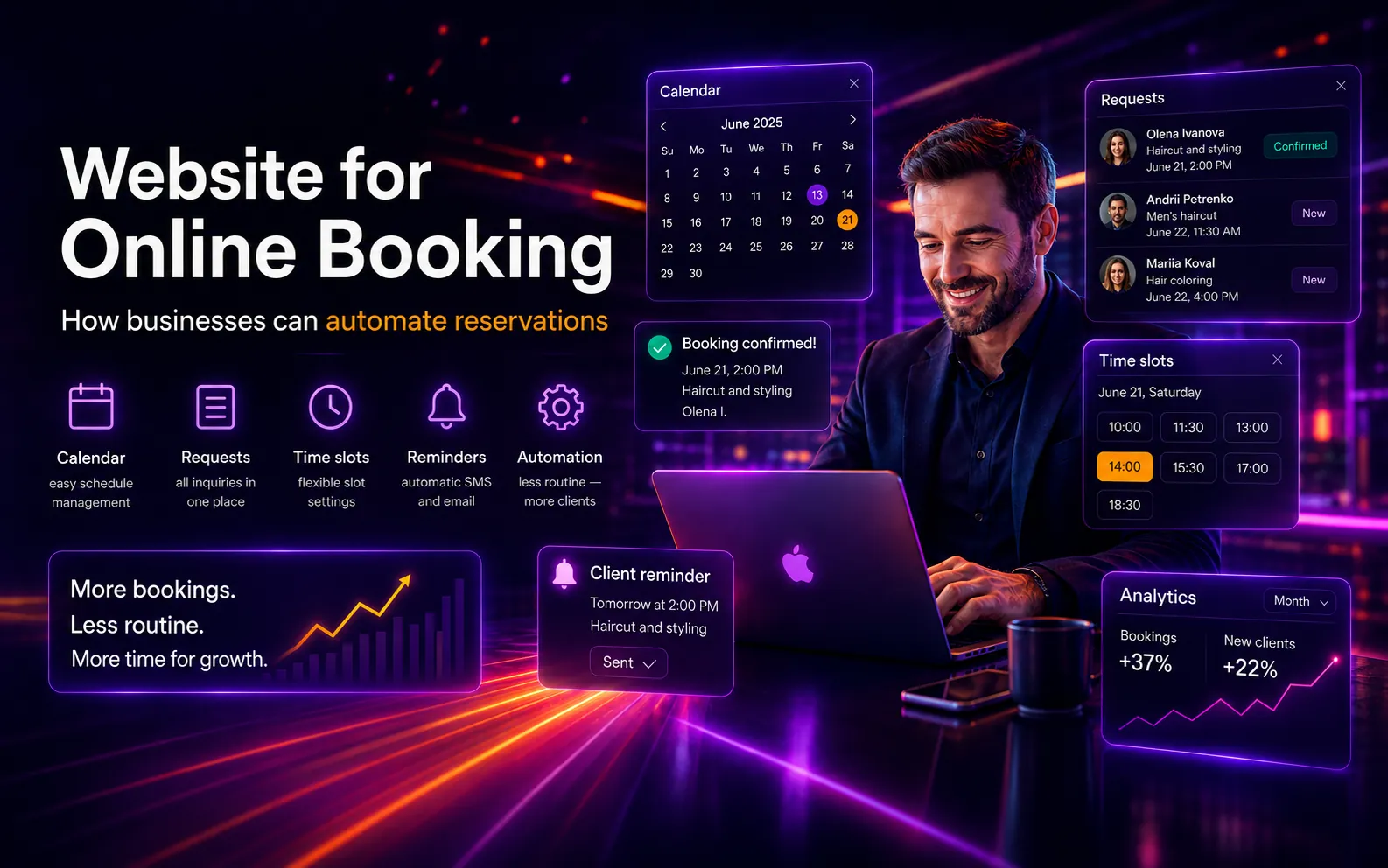
An online service is not just a website for presenting information, but a full system for working with customers, requests, bookings, or internal business processes. It is needed when users should not only read information, but also perform actions: book a service, create an order, log in to a personal account, check status, pay for a service, or receive notifications.
Such a website can include personal accounts, user roles, an admin panel, calendar, booking, request statuses, CRM logic, online payment, email or Telegram notifications, API integrations, and complex forms. An online service is designed around a specific business process, so it often requires custom development, for example on Laravel.
An online service is suitable for salons, clinics, auto service stations, online schools, financial projects, B2B platforms, service companies, and businesses that want to automate customer interaction. It is a good choice when the website should be not just a showcase, but a working tool for requests, bookings, statuses, accounts, and integrations.
Comparison
WordPress and Laravel Comparison
The choice between WordPress and Laravel does not depend on which technology is “better in general”, but on the task of a specific business. For one project, fast launch, easy page editing, and simple content management are important. For another, complex logic, personal accounts, user roles, booking, integrations, or a custom admin panel may be required.
When WordPress Is Better
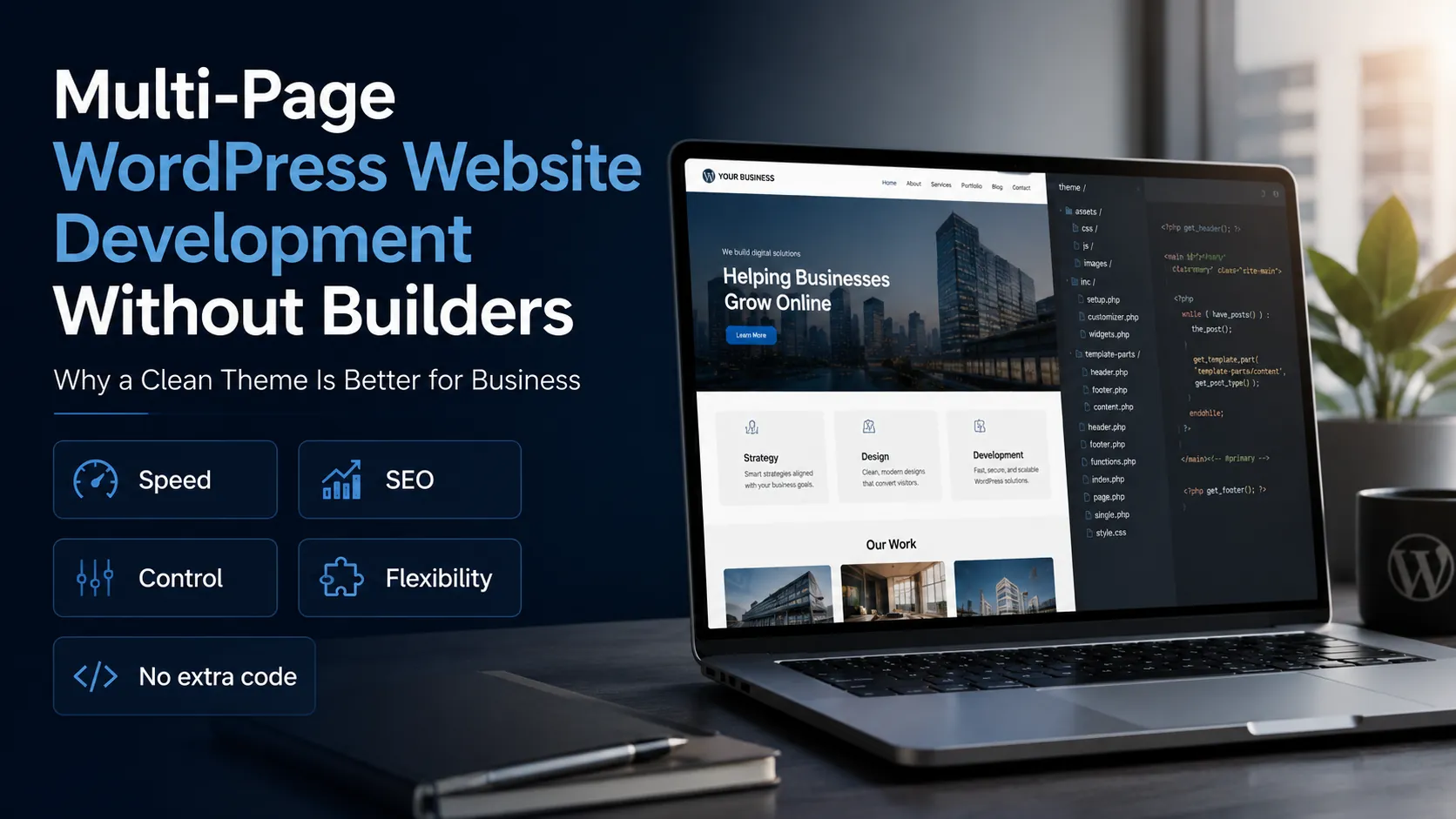
WordPress is a good choice if a business needs a website that can be launched faster, filled with content conveniently, and updated easily through an admin panel. It is suitable for landing pages, corporate websites, blogs, service pages, catalog websites, and small online stores.
Landing page — when you need to quickly launch a page for advertising, one service, product, or promotion.
Corporate website — when you need to present a company, services, team, case studies, advantages, and contacts.
Service website — when each service needs a separate page for SEO and convenient navigation.
Blog or media section — when the business plans to regularly publish articles, news, tips, or expert content.
Catalog website — when you need to show products, objects, or services without complex online payment logic.
Small online store — when you need to sell products online without very complex custom scenarios.
Website with frequent content updates — when the owner or manager needs to edit texts, images, sections, pages, and posts independently.
When Laravel Is Better
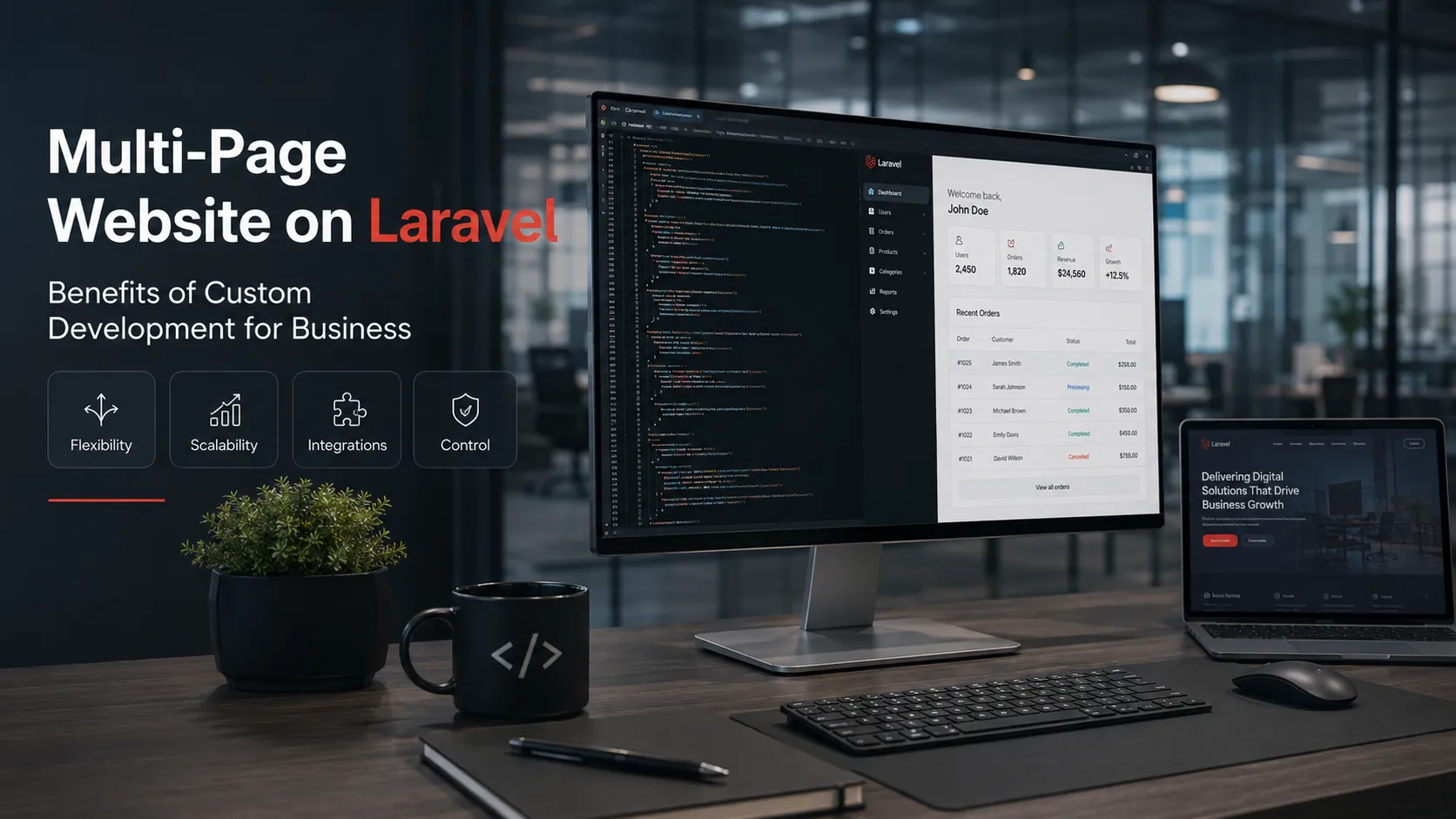
Laravel is better suited for projects that require custom logic, non-standard features, or complex business processes. These can include personal accounts, user roles, booking systems, online services, marketplaces, CRM logic, integrations with payments, delivery, APIs, or internal company systems.
Online service — when the website needs to accept requests, process data, show statuses, and automate workflows.
Personal accounts — when customers, managers, partners, or administrators need different roles and access rights.
Booking system — when it is necessary to manage dates, time, available slots, specialists, statuses, and notifications.
Marketplace or platform — when the website has several types of users: sellers, buyers, performers, partners, or administrators.
CRM logic — when the website should not only collect requests, but also help manage them, change statuses, and send data to managers.
Complex integrations — when payments, delivery, API, CRM, external services, or internal systems need to be connected.
Custom business logic — when company processes do not fit into a ready-made template and require an individual solution.
Project with future scaling — when the business plans to add new roles, features, modules, accounts, or automation.
What Affects the Cost of a Website
The cost of a website does not depend on one button, the number of colors, or simply the fact that “a website is needed”. The price is formed by the scope of the task: what type of website is needed, how many pages are planned, how complex the design is, whether an admin panel, catalog, payment, delivery, integrations, personal accounts, or custom business logic are required.
That is why a simple landing page and an online service with booking, accounts, user roles, and CRM logic cannot cost the same. They may look similar from the outside, but inside they require a different amount of work, different architecture, different testing, and a different level of responsibility for stability.
To avoid wasting the budget, it is important to first define what the website should do for the business. If the task is simple, a lighter solution may be enough. If the website needs to automate processes, accept payments, manage requests, or work with different user roles, the budget will be higher, but the value of such a website for the business will also be greater.
Main Factors That Affect Website Cost
Website format — a landing page, corporate website, online store, catalog website, or online service all require different amounts of work and different implementation complexity.
Number of pages — the more pages, services, categories, products, or landing pages need to be prepared, the more time is required for structure, design, layout, and content.
Design complexity — a clean simple design and a fully custom visual style with unique sections, animations, and graphics require different budgets.
Responsive version — a modern website must work well on desktops, tablets, and phones. If the mobile version requires separate UX planning, it affects the scope of work.
Admin panel — if the business needs to edit texts, images, pages, products, services, or requests independently, convenient content management must be set up.
Product or service catalog — categories, filters, product pages, characteristics, search, sorting, and item management increase website complexity.
Online payment and delivery — connecting payment systems, delivery methods, order statuses, and notifications requires additional logic and testing.
Personal accounts — customer, manager, partner, or administrator accounts require a well-planned structure, roles, access rights, and security.
Booking or online appointment system — calendars, available slots, work schedules, booking statuses, confirmations, and notifications make the website more complex than a regular page.
Service integrations — CRM, email campaigns, Telegram notifications, API, analytics, payment services, delivery, or internal systems add a separate development stage.
Multilingual functionality — if the website has multiple language versions, translation structure, SEO for each language, language switcher, and content management must be planned.
SEO preparation — proper headings, metadata, URL structure, speed, technical optimization, and pages for search queries affect the quality of future promotion.
Content and filling — copy, photos, icons, graphics, image processing, section preparation, and page formatting also affect the total amount of work.
Animations and interactivity — smooth effects, sliders, calculators, forms, filters, popups, or custom elements require additional implementation time.
Testing and launch — before publication, the website must be checked on different devices, browsers, forms, speed, errors, and correct functionality.
Future scalability — if the website will grow with new pages, accounts, integrations, or modules, it is better to build the right structure from the start.
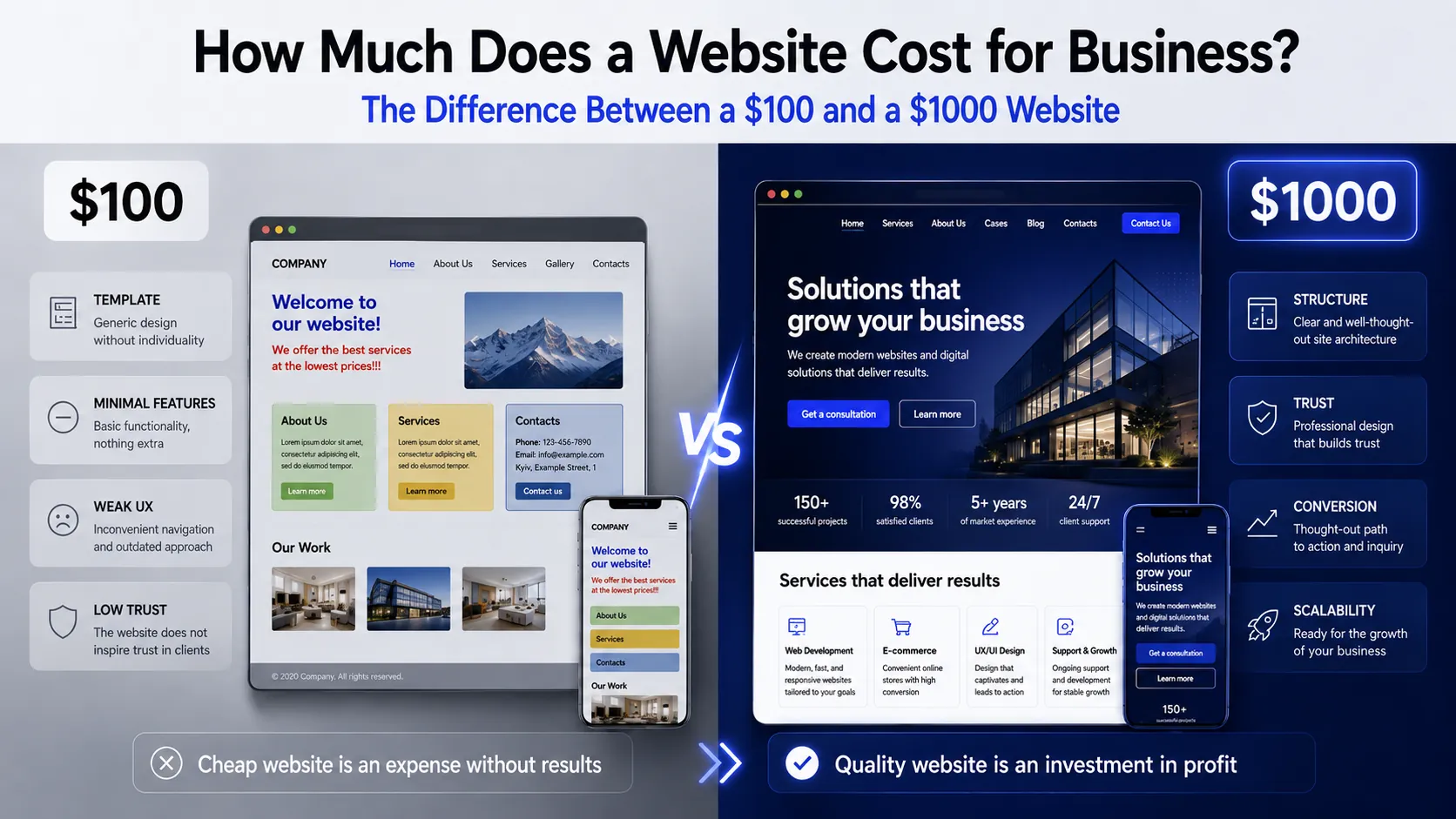
Why a Cheap Website Is Not Always Cost-Effective
A low price may look attractive at the beginning, but it is important to look not only at the amount, but also at what is included in the development. If the project lacks proper structure, has no good mobile version, forms are not configured, basic SEO preparation is missing, or the website is difficult to edit, the business quickly faces additional costs.
A cheap website can become more expensive in the future if it needs to be rebuilt, moved to another platform, fixed technically, or expanded with features that were not planned from the start. That is why it is important to evaluate not only the development price, but also how convenient, stable, and ready for growth the website will be.
How to Estimate a Website Budget Correctly
A proper estimate starts with a short analysis of the task. First, it is necessary to understand why the website is being created, which pages are needed, which features must be included at the start, what can be added later, and how the business plans to use the website after launch.
It is better to divide functionality into essential and additional. For example, at the start, a business may only need a homepage, service pages, a lead form, basic SEO, and a convenient admin panel. Personal accounts, complex integrations, or additional modules can be planned for later stages.
This approach helps avoid paying for unnecessary features immediately, while still keeping the website ready for future growth.
Client Mistakes That Can Happen When Ordering a Website
When a business orders a website, mistakes can happen not only on the developer’s side. Problems often appear during the preparation stage: there is no clear goal, the structure is not planned, the main user action is not defined, materials are missing, or expectations do not match the real budget. As a result, development may take longer, become more expensive, or fail to bring the expected result after launch.
To order a website and avoid wasting the budget, it is important to understand common mistakes in advance. This helps prepare better, move through the development stages faster, and get not just a beautiful page, but a useful tool for the business.
Common Mistakes When Ordering a Website
-
Ordering a Website “Just to Have One”
One of the biggest mistakes is ordering a website without understanding what task it should solve. If a website is created only “for online presence”, without a goal, structure, and user scenario, it may look fine but fail to bring leads, sales, or trust. Before starting, it is important to answer the question: should the website sell, collect leads, present the company, show a catalog, accept bookings, or automate processes? The answer affects the website format, structure, and functionality.
-
Choosing a Developer Only by the Lowest Price
A low price may look attractive, but it does not always mean a cost-effective solution. If the budget does not include proper structure, responsive version, basic SEO, convenient admin panel, testing, or quality form implementation, the website may quickly need to be rebuilt. It is important to compare not only the price, but also what exactly is included in the work: which pages will be created, how the admin panel will work, whether there will be a mobile version, whether content can be edited, whether SEO basics are included, and whether future website growth is considered.
-
Not Defining the Main Website Action
The user should quickly understand what they need to do on the website: submit a request, buy a product, book a service, message in a messenger, view a catalog, or request a consultation. If the main action is not defined, pages may look beautiful but feel unfocused. A website should guide the user to a specific step. This requires clear buttons, logical section structure, forms in the right places, and copy that explains the value of the offer.
-
Not Preparing Materials Before the Start
Development often takes longer when basic information is missing at the start: business description, list of services or products, contacts, logo, photos, website references, or understanding of the target audience. Without these materials, it is harder to plan the structure, copy, and visual presentation. It is not necessary to have a perfect technical specification. But it is worth preparing at least basic information about the business, services, advantages, desired user actions, and style references. This saves time and helps estimate the project more accurately.
-
Copying Competitors Without Analysis
Looking at competitors is useful, but simply copying their structure, copy, or design is a bad idea. Competitors may have different goals, a different audience, a different budget, a different stage of growth, and even mistakes that should not be repeated. It is better to use competitors as a reference: what is convenient, which sections work, how they present services, and what questions they answer. But your own website should be built around your business, your offer, and your customers.
-
Ignoring the Mobile Version
Most users visit websites from a phone. If the mobile version is inconvenient, the text is too small, buttons are hard to tap, forms are too long, and the page loads slowly, the user may go to a competitor. Mobile responsiveness should not be a formality, but a full part of development. The website must be convenient on a smartphone: load quickly, be easy to read, and guide the user to action without unnecessary steps.
-
Not Including SEO from the Start
SEO should not be left “for later”. If the page structure, headings, URLs, metadata, speed, internal links, and separate pages for key services are not planned during development, the website may require major changes later. Basic SEO preparation does not mean instant top positions in Google. But it helps make the website technically and structurally ready for promotion. This is especially important for businesses that plan to get customers from search
-
Not Thinking About Future Scalability
At the start, a simple website may be enough for a business. But if in a few months you need a blog, catalog, new service pages, multilingual functionality, online payment, customer account, or CRM integration, the website should be able to grow. The mistake is creating a website without room for future growth. This does not mean that everything must be built immediately. But it is important to choose the structure and technology so the website can be expanded without a complete rebuild.
-
Expecting Results Without Participating in the Process
Even if a team develops the website, the client’s participation is still important. It is necessary to approve the structure, provide business information, review copy, answer questions, provide materials, and give feedback. If the client does not respond for a long time or does not provide needed information, the project may stop. A good website is created through dialogue: the developer is responsible for technical and visual implementation, while the business helps communicate the essence of services, advantages, and work process correctly.